Install Editor
To start programming you will need to install a code editor!
Visual Studio 2026 is free and recommended for C# programming.
You will need 8GB ram and 10GB storage otherwise use a lighter alternative such as Visual Studio Code
Install
- Click Get free download for Visual Studio 2026
- Run VisualStudioSetup.exe
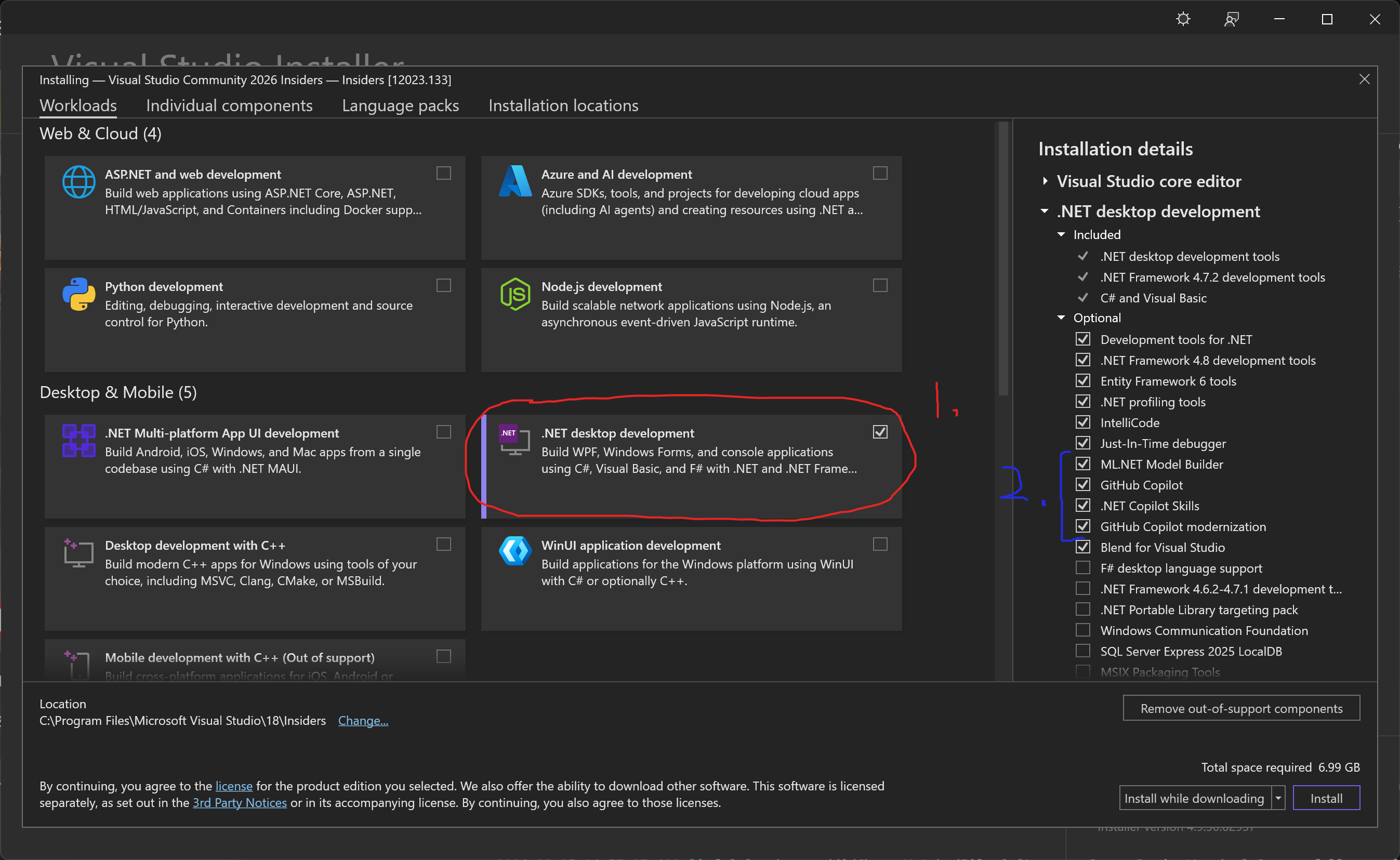
- Select .NET desktop development (1)
- Optionally disable AI features (2)
- Click Install at the bottom right.